

ALL BLOG POSTS
/
UI Design
AI UI vs Traditional UI: The Biggest Shift in Product Design

Stefan Ivic
Author
The digital landscape is experiencing its most significant transformation since the advent of the internet. As we navigate through 2026, AI UI has emerged as the defining factor that separates industry leaders from followers in the startup ecosystem. For AI startup owners and business leaders worldwide, understanding this shift isn’t just about staying current with trends—it’s about survival and competitive advantage in an increasingly crowded marketplace. Platforms like Artonest are helping drive this change by enabling smarter, more adaptive user interface design powered by AI.
What is AI UI and How Does It Differ from Traditional Approaches
AI UI represents a fundamental shift in how users interact with digital products. Unlike traditional interfaces that present static layouts and fixed user interactions to all users uniformly, AI UI creates adaptive, personalized, and efficient design practices that enhance user engagement and satisfaction.
Traditional UI design has long been characterized by static layouts and fixed user interactions that present a uniform experience to all users. In this approach, designers manually create fixed layouts that require extensive time investment for any modifications or updates. These interfaces operate on a one-size-fits-all philosophy, where users navigate through a series of static pages with limited engagement options.
The contrast becomes stark when examining how AI UI operates. Generative UI (GenUI) leverages AI to create dynamic and responsive interfaces that adapt to user needs in real-time. This approach enables the generation of user interfaces on demand based on user input or behavior, producing tailored interfaces that meet specific user goals instantly.
The Technical Foundation
What does UI stand for in the context of modern design? User Interface has evolved beyond simple visual elements to encompass intelligent systems that understand context, predict user needs, and adapt accordingly. The definition of interface design now includes machine learning algorithms, behavioral analysis, and real-time optimization capabilities that were unimaginable just a few years ago.
The Evolution of UI Design in 2026
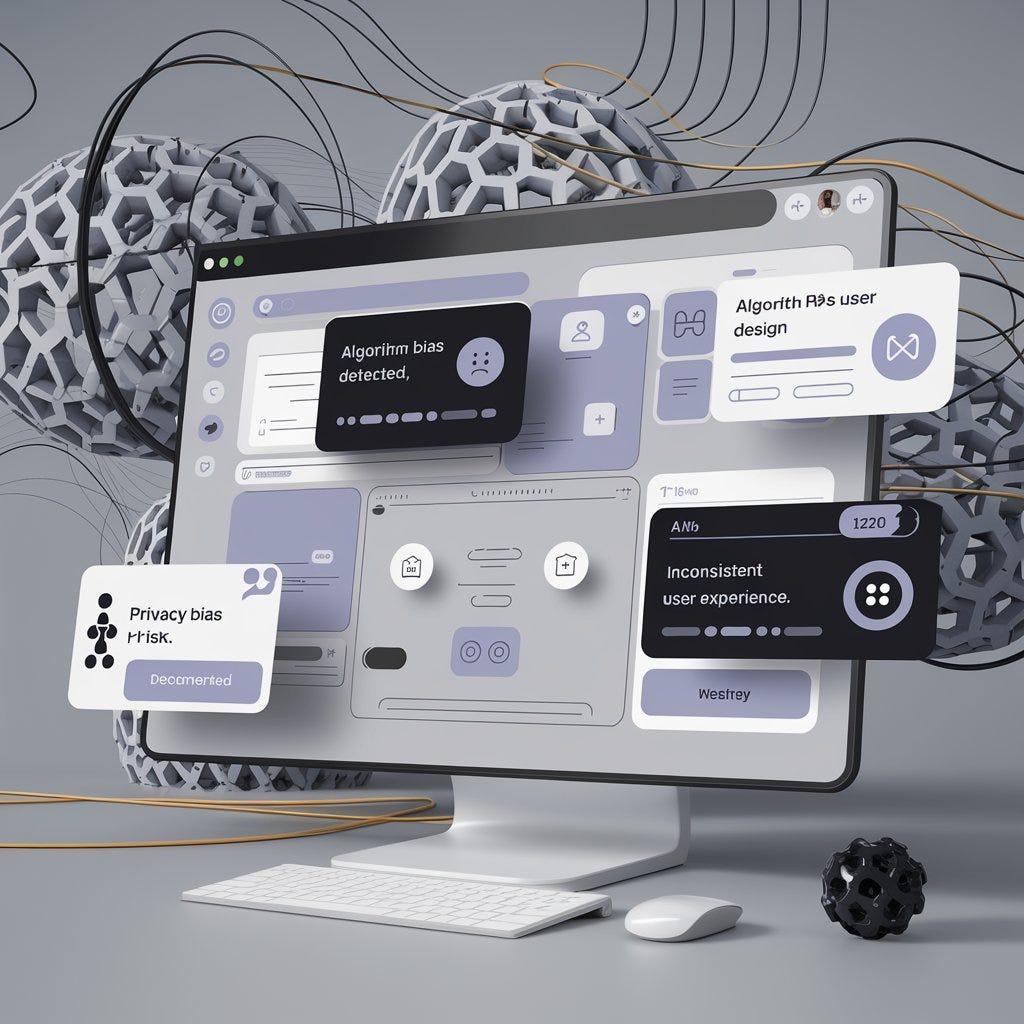
The UX field is stabilizing in 2026 after a tumultuous period marked by layoffs and AI hype. Several critical trends are reshaping how startups approach UI design, particularly in the AI space. Forward-thinking teams, including those at Artonest Design Studio, are adapting to this shift by combining AI-driven efficiency with human-centered design principles.
Digital products are moving beyond traditional interaction methods to incorporate multiple modes of interaction, including voice, text, images, gestures, and touch. Sentient interfaces are capable of interpreting user emotions and environmental context, allowing for more intuitive interactions. For example, a productivity app might adjust its tone based on the user’s emotional state, enhancing user experience by providing contextually appropriate support.
AI is becoming integral to user experiences, with features that operate directly on devices rather than relying on cloud processing. This shift allows for immediate responses and enhanced privacy. A meeting app could transcribe conversations and summarize action points in real-time without uploading audio data, preserving user privacy while providing valuable functionality.
Dynamic Hyper-Personalization
This trend involves real-time adjustments to user interfaces based on context, such as location and current tasks. Users now expect personalized experiences, and designers must ensure that these adaptations are transparent and respectful of user privacy. Solutions like Artonest AI Solution are helping teams deliver this level of intelligent personalization while maintaining strong data ethics and user trust.
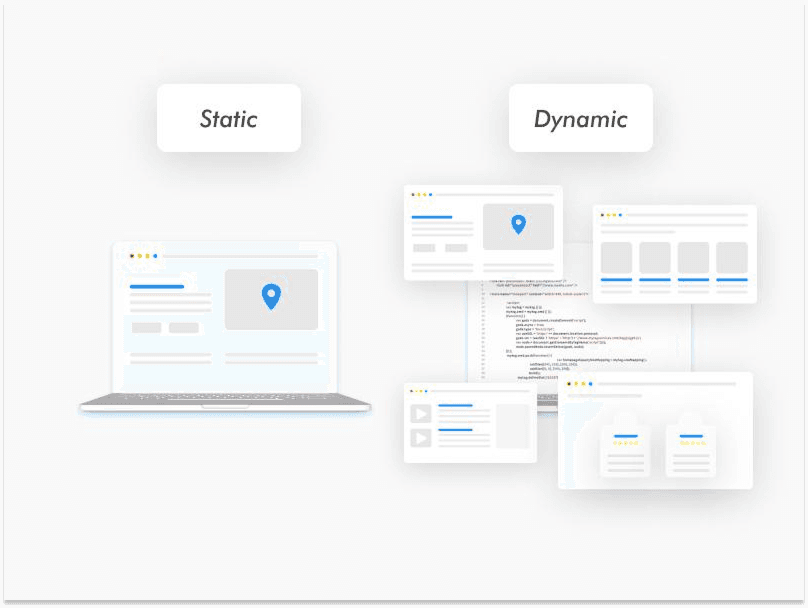
User Interface Design: From Static to Dynamic
The comparison between AI UI and traditional approaches reveals fundamental differences that directly impact business outcomes for startups:
Layout Approach: Traditional UI relies on static, manually designed layouts, while AI UI provides dynamic, AI-generated layouts that adapt in real-time. This means AI UI delivers personalized experiences versus the uniform traditional experiences that may not resonate with diverse user bases.
User Interaction Patterns: Traditional interfaces limit users to fixed interaction patterns like clicking, tapping, and typing. AI UI expands possibilities with multimodal interactions including voice, text, images, gestures, and touch, creating more natural and efficient user experiences.
Personalization Capabilities: The one-size-fits-all experience of traditional UI contrasts sharply with AI UI’s real-time hyper-personalization based on context, location, and behavior. This difference is particularly crucial for startups targeting global markets with diverse user preferences.
Update Mechanisms: Traditional UI requires periodic manual updates with extensive testing, while AI UI enables continuous real-time adjustments based on user feedback and analytics. This allows startups to iterate faster and respond to user needs without lengthy deployment cycles.
Design Process Efficiency: Manual creation of every element in traditional UI versus AI-assisted automation of repetitive tasks, layout suggestions, and visual generation in AI UI. This efficiency gain allows startup teams to focus on strategy rather than execution.
Response Time and Scalability
Traditional UI provides static, predetermined responses, while AI UI delivers immediate, context-aware responses with on-device intelligence. For startups, this means faster, more relevant interactions that can scale automatically to individual users rather than requiring manual scaling for different user segments.
How UI Design AI is Transforming Startup Products
AI design tools now incorporate features that automate repetitive tasks, allowing designers to focus on more creative aspects of their work. UI Design AI can suggest layouts, fill spaces, and generate quick visuals, streamlining the design process significantly.
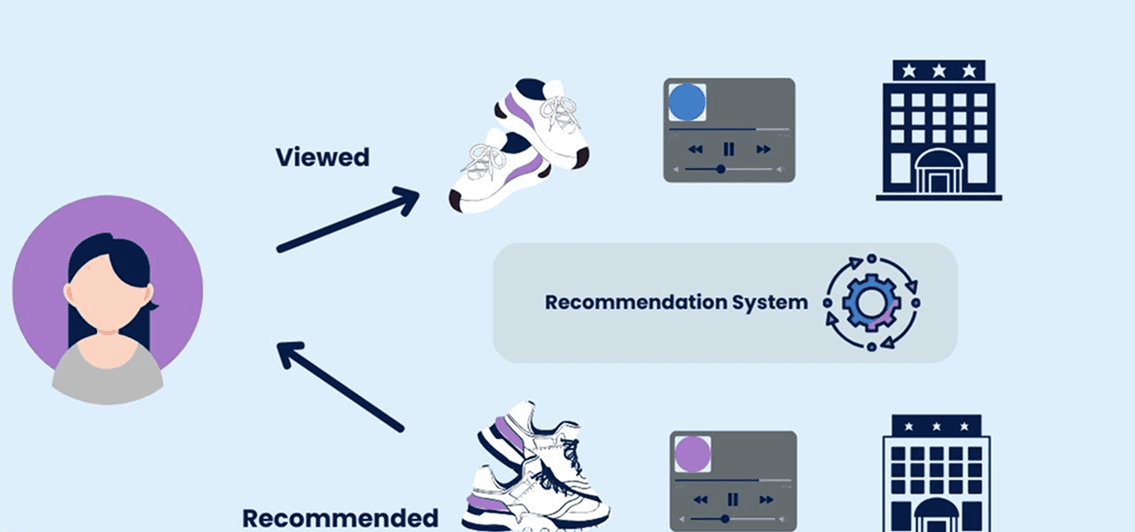
The integration of UI Design AI allows for rapid prototyping and iterative improvements. AI-powered interfaces are capable of real-time optimization, adjusting content and layout based on user interactions. This dynamic personalization is evident in streaming and music platforms that tailor recommendations and interfaces based on user habits.
UI Design AI capabilities include automated layout generation and real-time optimization. AI enables design teams to analyze vast amounts of user feedback quickly, identifying trends and issues that might not be visible through manual analysis. This predictive capability allows designers to address potential user drop-off points before they become significant problems.
Best AI UI Examples from Leading Startups
Several AI startups demonstrate exceptional AI UI implementation through their landing page designs:
Flow showcases a calm and confident design with cream background and classy serif fonts, creating an elevated editorial feel. Their light hero animations visually explain voice-to-text refinement functionality while maintaining a consistent motion system and micro-interactions.
Sahara AI demonstrates clean and interactive design with subtle 3D elements. Their hover animations add life to the page while maintaining clear hierarchy and generous spacing for improved readability.
Composio (composio.dev) presents a polished, tech-driven aesthetic with gradient-refraction background. Their smooth fade-out on scroll creates a cinematic experience, while tabbed explanations effectively communicate features.
These successful implementations share common traits: light, intentional animations that enhance understanding, product-first approach with visual representations over buzzwords, consistent visual systems maintaining brand coherence, readable layouts prioritizing user comprehension, and strong brand identity avoiding generic designs.
Practical Implementation Insights
Alex Couch’s experience at Parabola demonstrates three practical AI UI implementations: purpose-built AI tools processing messy text data for categorization and extraction, localized chatbots assisting users in configuring individual steps with natural language inputs, and broader AI co-builders helping users build entire workflows while maintaining context across multiple exchanges.
Strategic Implementation for AI Startups
Successful AI UI implementation requires strategic thinking beyond just adopting new tools. Designers should focus on understanding user workflows and adapting existing systems rather than completely overhauling them. This approach emphasizes the importance of customer feedback and observing actual user behavior to inform design decisions.
Create features that integrate seamlessly into the product ecosystem. AI UI should enhance user experiences rather than disrupt them, ensuring that new features are adaptable and symbiotic with existing functionalities.
Building Trust Through Transparency
Building user trust in AI-driven interfaces requires transparency about how AI makes decisions and what data it uses. Users need to understand the reasoning behind AI decisions to feel confident in the system. This includes showing transparency and provenance, keeping users in control with previews and undo options, setting clear boundaries about AI capabilities, and making usage limits visible.
The design process should be agile, allowing for continuous improvement based on user feedback and emerging trends. Successful companies often build on existing ideas and technologies to address user pain points effectively.
The Future Landscape for AI Startup Owners
As we look toward the remainder of 2026 and beyond, the gap between companies using AI UI effectively and those clinging to traditional approaches will only widen. There is a growing fatigue around AI, as both professionals and users become disillusioned with superficial AI features. Companies that leverage AI thoughtfully will outperform those that apply it indiscriminately.
The role of traditional UI is diminishing as it becomes easier to produce through standardization and AI tools. The focus is shifting towards deeper understanding of user needs and strategic problem-solving.
For AI startup owners, this represents both an opportunity and a challenge. The opportunity lies in leveraging AI UI to create superior user experiences that can compete with larger, more established companies. The challenge is implementing these technologies thoughtfully, with genuine user value rather than superficial AI features that contribute to user fatigue.
The successful AI startups of tomorrow will be those that understand AI UI not as a trend to follow, but as a fundamental shift in how digital products should be conceived, designed, and delivered. They will focus on solving genuine user needs rather than chasing trends or mimicking competitors, ensuring their offerings are not only innovative but genuinely useful to users.
Frequently Asked
Questions
1. What is the difference between AI UI and traditional UI?
2. Why is AI UI becoming important in 2026?
3. Can AI replace UI designers?
4. What are the biggest challenges of AI UI?
5. How can startups start implementing AI UI?
Recent


