

ALL BLOG POSTS
/
UI Design
How Modern SaaS Dashboard Design Increases User Engagement

Vijay Parmar
Author
In today’s competitive B2B and B2C software market, the dashboard is the core of the user experience. It’s the first screen users see and where they spend most of their time. A modern SaaS dashboard should go beyond visual appeal by delivering clarity, efficiency, and value. Effective Dashboard UX Design improves user engagement, enhances productivity, and increases customer retention. At Artonest Design Studio, we focus on creating dashboards that drive both user satisfaction and business growth.
The Critical Role of SaaS Dashboard Design in User Retention
In the SaaS industry, users don’t buy features, they buy solutions to their problems. That’s why dashboard design plays a crucial role in user retention. A cluttered interface can overwhelm users, while an intuitive and well-structured dashboard empowers them to achieve their goals quickly and efficiently.
User engagement is closely tied to how fast users can experience value from your platform. A thoughtfully designed dashboard reduces the time-to-value, minimizes frustration, and encourages long-term adoption.
Why Your Current Dashboard Might Be Failing
If your retention rates are stagnating, your dashboard experience may be part of the problem. Modern users expect the same level of simplicity and usability they find in consumer applications like Instagram or Spotify, even when using complex business software. An outdated or confusing interface can make your product feel less reliable and less valuable, regardless of how powerful its underlying features may be.
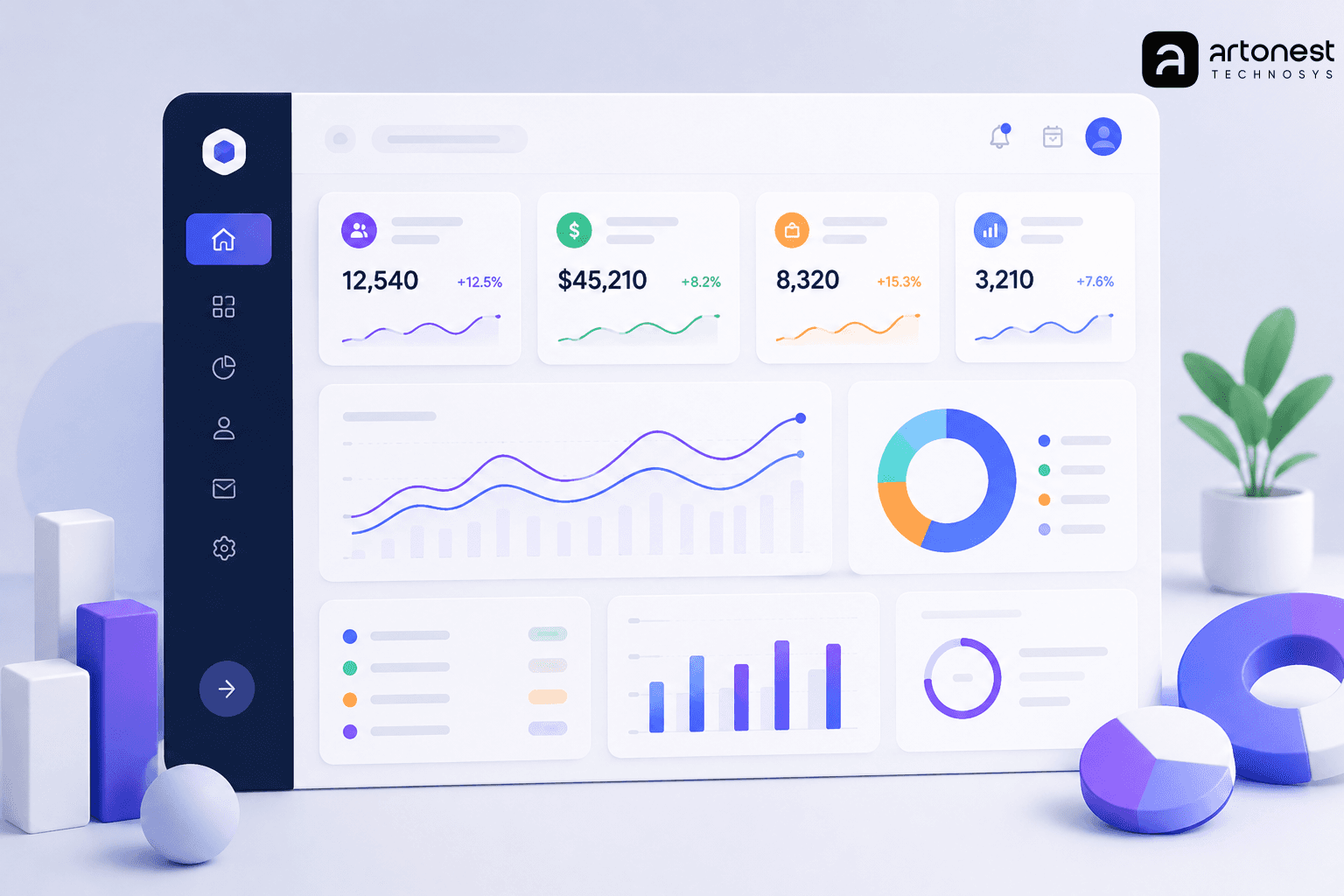
Principles of Modern SaaS Dashboard Design
Creating a high-performing SaaS dashboard requires more than attractive charts and graphs. The most effective dashboards are designed to help users quickly understand information, make decisions, and take action.
1. Information Hierarchy
A successful SaaS dashboard prioritizes content based on user goals and intent. The most critical insights should be visible at a glance, enabling users to understand performance without searching through multiple screens.
Prioritize Key Performance Indicators (KPIs): Display the most important business metrics prominently at the top of the dashboard, where users naturally focus their attention first.
Support Action-Oriented Workflows: Every metric should have a clear purpose and ideally guide users toward a relevant action or decision.
Use Progressive Disclosure: Present essential information first and allow users to explore deeper layers of data only when needed. This prevents users from feeling overwhelmed by excessive details.
Create Visual Emphasis: Use size, spacing, typography, and layout to highlight high-priority content and establish a clear visual flow.
Align with User Goals: Different user roles have different objectives. Executives, managers, and operational teams may require unique dashboard views tailored to their specific needs.
When information is prioritized effectively, users spend less time searching for answers and more time acting on valuable insights.
2. Reducing Cognitive Load
One of the most important dashboard UI best practices is minimizing cognitive load. Cognitive load refers to the mental effort required for users to process information and complete tasks. When dashboards contain too many elements, confusing layouts, or excessive data, users can become overwhelmed and disengaged.
An effective dashboard should simplify complex information and help users focus on what matters most. Every design element should contribute to clarity rather than create distractions.
Utilize Whitespace Effectively: Adequate spacing between elements improves readability and helps users distinguish between different sections of information.
Group Related Data: Organizing similar metrics together creates logical patterns that are easier for users to understand.
Maintain Consistency: Consistent layouts, colors, icons, and navigation patterns help users learn the interface faster and reduce confusion.
Limit Visual Clutter: Remove unnecessary charts, widgets, and decorative elements that do not provide meaningful value.
Simplify Navigation: Users should be able to move through the dashboard naturally without excessive clicks or complex menu structures.
Leverage Visual Cues: Strategic use of icons, labels, color indicators, and data highlights can guide attention toward important information.
At Artonest Design Studio, we believe that simplicity is one of the most powerful tools in dashboard design. By eliminating unnecessary distractions and focusing on user-centered experiences, we create dashboards that transform complex datasets into clear, intuitive, and actionable insights.
Designing for Long-Term Engagement
Modern dashboard design is not just about helping users complete tasks today. It is about creating an experience that remains valuable over time. Dashboards that provide clarity, reduce friction, and support user goals encourage repeated usage and stronger product adoption.
When businesses invest in thoughtful information architecture and cognitive load reduction, they create dashboards that are easier to use, easier to understand, and ultimately more effective at delivering measurable business results.
Improving SaaS Analytics Dashboard UX: Strategies for Success
An effective SaaS analytics dashboard should do far more than display numbers and charts. Its primary purpose is to transform raw data into meaningful insights that help users understand what is happening, why it is happening, and what actions they should take next. When users can quickly identify trends, opportunities, and potential issues, they are more likely to make confident decisions and derive value from the platform.
A well-designed analytics dashboard bridges the gap between complex data and practical business outcomes. Rather than overwhelming users with endless reports, it should guide them toward the most relevant information and present it in a way that is easy to understand and act upon.
Visualize Data for Action
Data visualization is one of the most powerful components of a SaaS analytics dashboard. However, effective visualization is not just about making data look attractive. It is about helping users uncover insights and make informed decisions faster.
To maximize the value of your analytics dashboard, focus on presenting information in a way that encourages meaningful action.
Provide Context for Better Decision-Making
Numbers alone rarely tell the complete story. Users need context to understand whether a metric is performing well, declining, or remaining stable.
Effective dashboards use:
Trend indicators to show upward or downward performance changes.
Historical comparisons that reveal growth patterns over time.
Benchmarks and targets that help users evaluate progress.
Visual cues such as status indicators, alerts, and highlights to draw attention to important changes.
Providing context helps users move beyond simply viewing data and enables them to understand its significance within the broader business landscape.
Enable Dashboard Customization
Every user interacts with a platform differently. A marketing manager may focus on campaign performance, while an executive may prioritize revenue metrics and growth indicators. Allowing users to customize their dashboard experience ensures they can access the information most relevant to their goals.
Popular customization features include:
Drag-and-drop dashboard widgets.
Personalized dashboard layouts.
Custom reports and saved views.
Adjustable date ranges and filters.
Role-specific dashboards tailored to different teams.
When users can personalize their workspace, they feel greater ownership of the platform, which often leads to higher engagement, increased productivity, and improved user satisfaction.
Use Smart Defaults
While customization is important, many users expect immediate value without spending time configuring their dashboard. This is where smart defaults become essential.
The default dashboard experience should be carefully designed to meet the needs of the majority of users by:
Displaying the most commonly used metrics.
Highlighting critical business insights.
Presenting information in a clear and logical layout.
Providing actionable recommendations where appropriate.
An optimized default experience reduces onboarding friction and helps new users understand the platform's value from their very first session.
Make Insights Easy to Understand
Even the most powerful analytics tools can fail if users struggle to interpret the data. Clear labeling, intuitive charts, concise summaries, and consistent visual patterns can significantly improve comprehension.
Choosing the right chart type for each dataset.
Avoiding unnecessary visual complexity.
Using consistent terminology throughout the platform.
Highlighting key takeaways and trends.
Presenting insights in a logical order based on user priorities.
The goal is to reduce the time required for users to find answers and increase their confidence when making decisions.
Turn Analytics into a Competitive Advantage
Organizations that invest in strong dashboard UX gain more than a better-looking interface. They create a product experience that empowers users, encourages adoption, and drives long-term retention.
By combining intuitive design, contextual data visualization, personalization options, and smart defaults, businesses can build analytics dashboards that transform information into action. The result is a more engaging user experience, better decision-making, increased customer satisfaction, and stronger business growth.
The Intersection of SaaS User Experience and Business Growth
A well-designed SaaS experience does more than improve usability. It directly impacts business growth. When users find your platform intuitive, efficient, and visually appealing, they develop greater trust in your product. This trust often translates into higher adoption rates, increased plan upgrades, stronger team collaboration, and more customer referrals.
How Artonest Helps You Scale
At Artonest Design Studio, we create user-centric SaaS experiences that transform complex data into intuitive and engaging digital products. Whether you're building an ERP system, CRM platform, or specialized analytics solution, our approach focuses on delivering measurable business results through thoughtful design.
UX Research & Analysis: Identifying user needs, behaviors, and pain points to create solutions that solve real problems.
Prototyping & Iteration: Testing and refining designs to ensure a seamless, modern user experience.
Scalable Design Systems: Building consistent and professional interfaces that grow alongside your product and business.
Explore our SaaS portfolio to discover how we've helped businesses create impactful digital experiences that drive engagement, retention, and long-term growth.
Dashboard UI Best Practices: The Essential Checklist
A successful SaaS dashboard combines performance, usability, and accessibility to deliver a seamless user experience. When evaluating your current product design, make sure it meets these key standards:
Mobile Responsiveness - Users expect access to critical data anytime, anywhere. Your dashboard should provide a consistent and intuitive experience across desktops, tablets, and mobile devices.
Performance and Speed - Speed directly impacts user satisfaction and engagement. Dashboards should load quickly and respond smoothly to user interactions, ensuring that insights are always accessible when needed.
Accessibility - An inclusive dashboard is essential for reaching a broader audience. Use sufficient color contrast, support keyboard navigation, and ensure screen readers can accurately interpret charts, tables, and interface elements.
Effective Empty States - New users should never be greeted by a blank screen. Well-designed empty states can guide onboarding, explain key features, and help users understand how to populate their dashboard with meaningful data.
By following these dashboard UI best practices, businesses can create experiences that improve usability, increase engagement, and support long-term customer retention.
Future-Proofing Your Product with Enterprise Software Design
The future of SaaS dashboards extends beyond reporting and data visualization. As AI becomes increasingly integrated into digital products, modern dashboards are evolving from tools that display historical data to intelligent platforms that deliver predictive insights, personalized recommendations, and proactive decision-making support.
For enterprise software companies, creating intuitive experiences within complex systems is more important than ever. Users expect sophisticated functionality without sacrificing usability. Achieving this balance requires a strategic approach to UX design that simplifies workflows, improves efficiency, and enhances overall user satisfaction.
At Artonest Design Studio, we specialize in designing enterprise-grade digital products that transform complex processes into seamless user experiences. Our UI/UX design services help organizations build scalable, future-ready platforms that are powerful, intuitive, and easy to navigate, regardless of their complexity.
Conclusion:
Your dashboard is more than just a user interface. It is the central hub where customers interact with your product, make critical decisions, and measure the value of their investment. A well-designed SaaS dashboard improves usability, increases engagement, strengthens customer retention, and ultimately contributes to business growth.
Investing in modern SaaS dashboard design is not simply about aesthetics. It is about creating intuitive experiences that help users achieve their goals faster and more efficiently. In an increasingly competitive market, exceptional user experience can be the difference between customer loyalty and customer churn.
At Artonest Design Studio, we help businesses transform complex software into intuitive, user-friendly digital experiences. Whether you need a high-converting landing page, a scalable SaaS dashboard, or a complete product redesign, our team has the expertise to bring your vision to life.
Explore our services or get in touch with us today to discuss your next project. Together, we can create digital products that users love and businesses rely on.
Frequently Asked
Questions
1. What makes a good SaaS dashboard design?
2. How does dashboard UX affect user engagement?
3. Why is personalization important in SaaS dashboards?
4. What are the latest SaaS dashboard trends?
5. How can businesses improve dashboard usability?
Table of contents
Recent


