

ALL BLOG POSTS
/
UI Design
How AI is Changing UI UX Design in 2026: A Comprehensive Guide

Dhruv Gajera
Author
In 2026, AI has become a core part of UI/UX design, transforming how digital products are created and experienced. Designers now use AI to generate wireframes, prototypes, content, and visuals in minutes, significantly speeding up workflows. User interfaces are becoming more adaptive and personalized, with AI-powered chatbots, voice assistants, and recommendation systems enhancing user engagement. As AI adoption grows, designers must also address challenges around privacy, transparency, accessibility, and ethical design. The future of UI/UX lies in combining human creativity with AI-driven efficiency to build smarter, more intuitive digital experiences.
The State of AI in UI/UX Design in 2026
The conversation around AI in design has matured from "Will AI replace designers?" to "How can designers use AI to create more impactful, human-centric experiences?" AI tools now automate many of the repetitive UI/UX tasks that used to consume hundreds of hours. Modern design platforms embed generative models for images, code, and text directly into the workflow.
However, despite the hype, experts at the Nielsen Norman Group (NN/g) have noted important limitations. In their extensive 2025 studies, they found that while AI can follow instructions to achieve a general goal, it still lacks the nuanced judgment, empathy, and strategic thinking of an experienced human designer.
Today, the most successful designers treat AI as a "supercharged intern." It can draft variations, write microcopy, or code rapid prototypes, but humans must refine, validate, and strategically align these outputs with business goals. Current capabilities include rapid "first drafts" of pages, automated asset creation, and iterative layout suggestions. The highest-value tasks deep UX research, strategic architecture, and complex problem-solving remain firmly in the human domain.
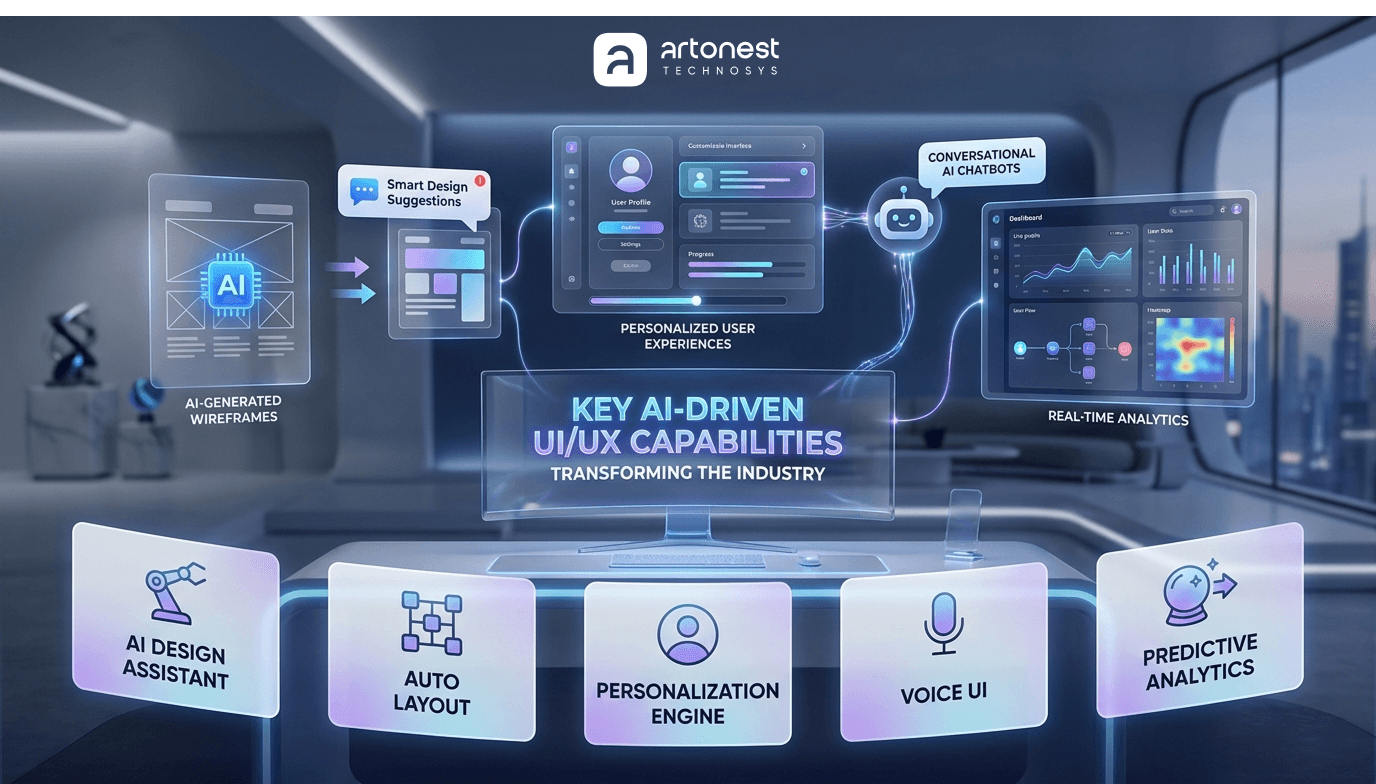
Key AI-Driven UI/UX Capabilities Transforming the Industry
Let's break down exactly what AI is doing behind the scenes in the UI/UX workflows of 2026.
Generative AI and Automated Asset Creation
In 2024 and 2025, tools like Midjourney and DALL-E showed the world what generative AI could do. In 2026, these capabilities are directly integrated into our primary design tools. Figma’s native AI features can now create or edit visuals on demand handling background removal, generative fill, and style transfers all while strictly preserving the rules of a company's established design system. Context-aware layer naming and auto-copywriting features are saving designers countless hours.
Similarly, Adobe’s Firefly offers enterprise-safe, commercially viable image generation integrated directly into Photoshop and Illustrator, alongside multimodal outputs combining text, audio, and vector graphics.
Wireframing and Prototyping at Lightning Speed
Startups and established tools alike are using Large Language Models (LLMs) to bridge the gap between idea and interface. Tools like Uizard, Bolt, v0, and Stitch allow designers to generate high-fidelity interface wireframes from simple text prompts or even rough hand-sketches. Some of these advanced platforms can immediately output production-ready code in React or SwiftUI.
Top AI UI/UX Design Tools in 2026
The ecosystem of AI-powered design tools is vast. Product teams must carefully select their tech stack based on their specific needs. Here is a look at the leading tools shaping the industry today:
The Heavyweights: Figma AI, Adobe Firefly, and Microsoft Designer
Figma AI: The undisputed leader for collaborative UI/UX design. With features like responsive design helpers, context-aware renaming, and smart image editing, it is widely adopted by modern product teams.
Adobe Firefly: Built for the enterprise graphic designer. Its "safe" text-to-image generation is trained on licensed content, making it a favorite for major agencies worried about copyright infringement.
Microsoft Designer: Powered by DALL-E, this tool auto-suggests layouts and branded visuals directly from prompts. Bundled into Microsoft 365, it brings design capabilities to tens of millions of corporate users.
Niche Innovators: Uizard, Midjourney, and Open-Source Solutions
Uizard: Perfect for rapid application and web prototyping. It converts sketches into editable UI mockups, democratizing design for founders and non-designers.
Midjourney & Stable Diffusion: Midjourney remains the go-to for high-resolution, artistic exploration. Meanwhile, open-source models like Stable Diffusion offer total flexibility, allowing dev teams to fine-tune models to avoid vendor lock-in.
Synthesia & Magic Hour: For video integration, Synthesia offers text-to-video with AI avatars, heavily used in enterprise training. Magic Hour provides consumer-grade video creation for social media marketing.
Lummi: An AI-powered search engine blending stock photography with AI generation, offering context-based filtering for marketing teams.
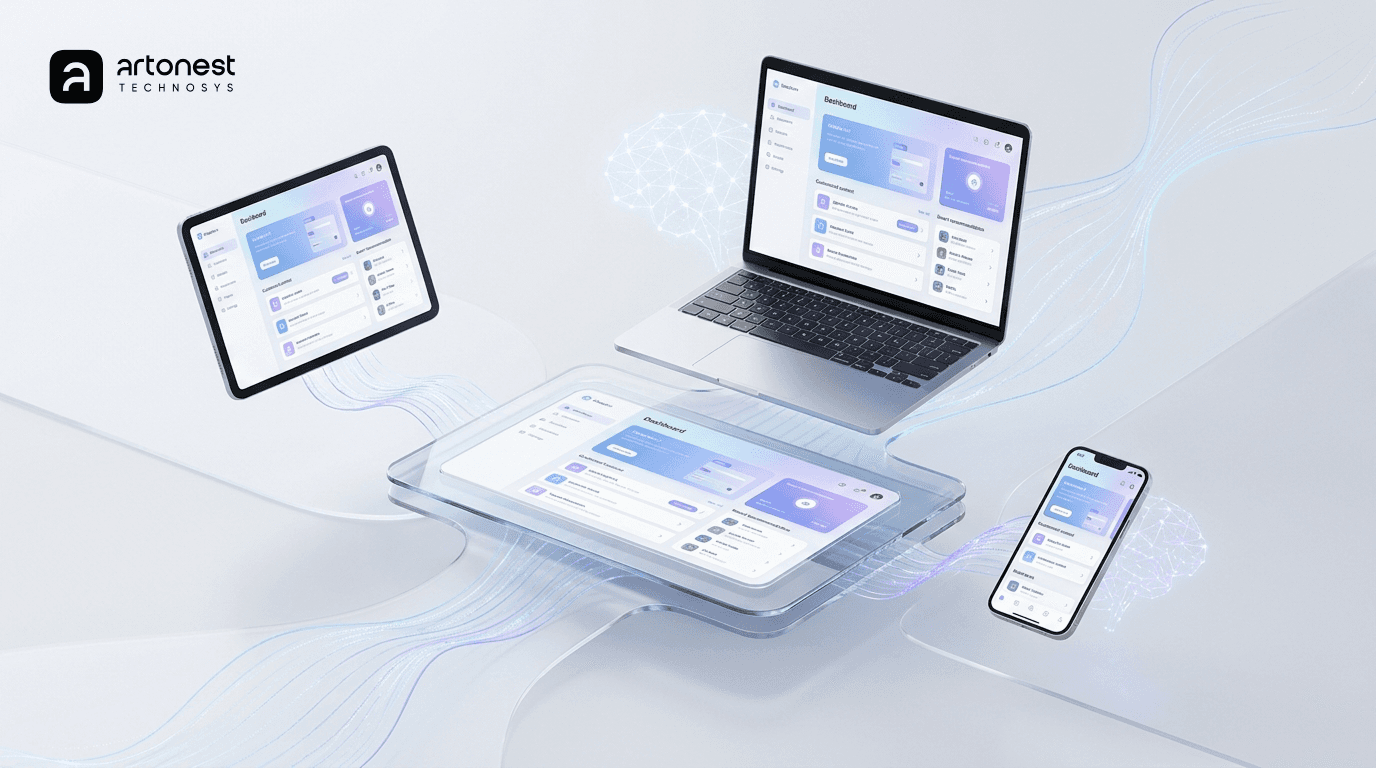
Adaptive End-User Interfaces: Personalization at Scale
The most profound change AI has brought isn't just in how we design, but what we design. Static websites are becoming a thing of the past. In 2026, end-user interfaces are adaptive, personalized, and conversational.
Dynamic and Adaptive Layouts
Systems now learn from user behavior in real-time to rearrange content, resize elements, and offer just-in-time options. The pioneer of this is Netflix. Every single user's homepage layout, row ordering, and thumbnail art is curated by AI. Netflix attributes an astonishing 80% of its viewing time to its personalized recommendation engine. By dynamically adjusting the UI (e.g., enlarging the "Continue Watching" button for binge-watchers), cognitive load is reduced, and engagement skyrockets.
Similarly, Spotify’s adaptive UI seamlessly blends AI-curated music discovery with contextual awareness (time of day, current activity), resulting in massive gains in subscriber loyalty.
Conversational Agents and Multimodal Interfaces
Conversational UIs are ubiquitous. E-commerce sites are leveraging advanced AI chatbots not just for support, but for active upselling and lead qualification. An industry study by Glassix highlighted that websites utilizing AI chatbots experienced a 23% higher conversion rate, with significant reductions in cart abandonment.
Furthermore, we are seeing the rise of multimodal interfaces. Platforms like Apple Vision Pro and Meta Quest 3 utilize AI for eye-tracking and gesture recognition. Smartphones ship with on-device AI for live translation and semantic photo search. Designers are no longer just arranging pixels; they are designing conversations, voice prompts, and spatial interactions.
Accessibility Powered by AI
AI is a massive catalyst for digital inclusion. Google’s "Natively Adaptive Interfaces" (NAI) framework utilizes AI agents to tailor applications on the fly to individual needs. For example, an "Orchestrator" agent can dynamically adjust text sizing, summarize complex paragraphs, or change interaction modes based on a user's specific cognitive or visual preferences.
Innovations like StreetReaderAI combine computer vision with chat agents to help blind users navigate urban environments, proving that AI-driven UX can fundamentally improve lives.
How Artonest Integrates AI into Next-Gen UI/UX and No-Code Development
To thrive in this new era, businesses need a partner who understands the intersection of aesthetic design, user psychology, artificial intelligence, and rapid deployment. This is where Artonest excels. We don't just use AI; we design for it.
Comprehensive UI and UX Design Services
At Artonest, we offer a full spectrum of UI/UX services designed to meet the demands of modern consumers.
UI Design: We craft pixel-perfect, AI-ready interfaces across multiple touchpoints. Our expertise spans Web Design, Mobile App Design, Landing Page Design, SaaS Dashboards, E-commerce platforms, Enterprise Software, and Wearable & Smart Device interfaces. We ensure that as your product scales and AI features are integrated, the UI remains intuitive and beautiful.
UX Design: Great UI is nothing without a solid foundation. Our UX suite includes UX Research & Analysis, Usability Testing, Heuristic Evaluation, Information Architecture, Wireframing & Prototyping, and comprehensive UX Audits & Optimization. We utilize AI analytics to gather deeper insights into user journeys, ensuring every design decision is data-driven.
Rapid No-Code Development
In 2026, speed to market is everything. Artonest pairs our world-class design with top-tier No Code Development. By utilizing platforms like Framer, Webflow, Flutter Flow, Shopify, WordPress, Wix, and Squarespace, we turn high-fidelity Figma prototypes into live, fully functional products in a fraction of the time of traditional coding. This allows startups to iterate rapidly and test AI features with real users almost instantly.
A Look at the Artonest Portfolio: Designing the Future
Our portfolio reflects our commitment to pushing the boundaries of what's possible in Fintech, AI applications, and SaaS:
AI-Powered Applications: We designed Finewise, an AI-powered financial copilot that simplifies personal finance through conversational UX. We also crafted the interface for Wiggy, an AI Dating app for the next generation of love, focusing on ethical AI matchmaking and trust-building UX.
Fintech & Crypto: Our work on Fintech Unicron (Redefining Digital Finance and Crypto) and SKYFIN (a sleek Finance application UI/UX) showcases our ability to make complex financial data readable, engaging, and adaptive to the user's investment behavior.
Industry-Specific Dashboards: From Solarex (a Smart Solar Energy Dashboard UI/UX) to Syncult (an AI-Powered Smart Farming Platform), we build enterprise software that leverages AI to visualize data clearly. We also designed Quickship to simplify the shipping experience and Inposto, a rapid quote creator and poster maker.
Mental Health & Trust: We built BlissFul, a mental health app where empathetic UX design is paramount, and FeedLoop, a platform focused on building trust through authentic reviews.
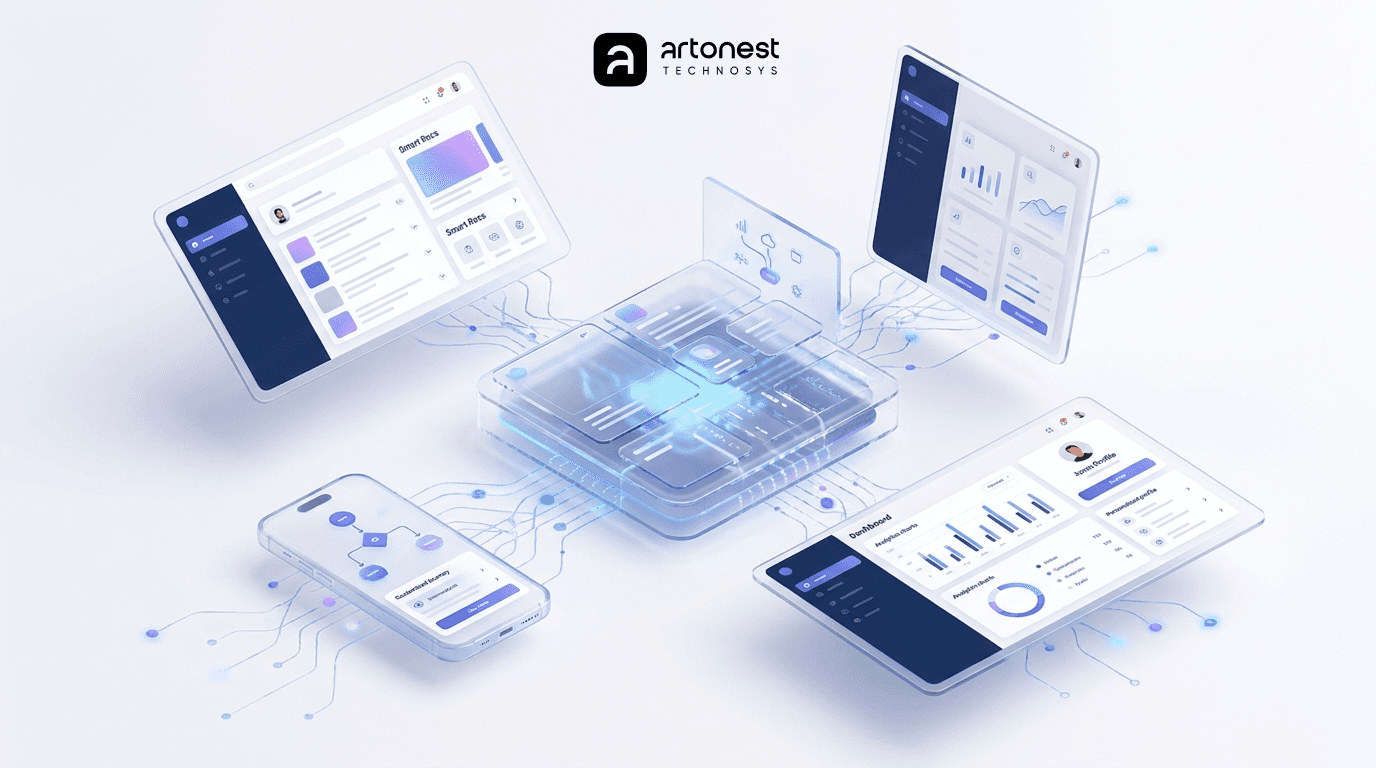
Measuring UX Outcomes in the AI Era
Integrating AI changes how we measure success. Traditional metrics (time on task, error rate) are still vital, but in 2026, product teams must track AI-specific effects:
Engagement & Conversion via A/B Testing: Hyper-personalization must be rigorously tested. Retailers compare conversion rates and session times with and without AI recommendations.
User Satisfaction & Trust Calibration: Do users trust the AI? Metrics now include "perceived usefulness," "transparency," and "automation trust." If an AI financial app like our Finewise suggests a budget change, we measure the compliance rate (how often the user accepts the advice).
Bias and Fairness: Teams must utilize quantitative fairness metrics to ensure adaptive UIs do not unfairly pigeonhole specific demographics or omit diverse content.
Accessibility Gains: Measuring the reduction in cognitive load and task completion time for users utilizing AI-driven accessibility aids.
Continuous experimentation is the new norm. Features are rolled out gradually, monitored via embedded analytics, and adjusted based on real-world KPIs.
Ethical Design, Privacy, and Regulatory Impacts (The EU AI Act)
With great power comes great regulatory scrutiny. The integration of AI into UI/UX raises profound ethical and legal issues that global teams can no longer ignore.
Privacy and GDPR
Because personalized UIs rely heavily on user behavior data, consent is paramount. Under GDPR and global privacy laws like the CCPA, applications must practice "data minimization." UI designers are now responsible for building clear privacy dashboards, providing explicit opt-in toggles for AI recommendations, and ensuring users can easily delete their algorithmic profiles.
The EU AI Act and Mandatory UI Transparency
The European Union AI Act (enforced fully by 2026) is the first major legislation to directly dictate UI design choices. It categorizes AI systems by risk.Crucially for designers, under Article 50 of the Act, if a user is interacting with human-like AI (like a chatbot) or viewing AI-generated content, the UI must clearly label it as such.
This means designers must seamlessly integrate persistent indicators, watermarks, or disclaimers (e.g., "Powered by AI Model") without ruining the aesthetic experience. For high-risk AI (such as credit scoring in Fintech apps), the UI must include "kill switches" or mandatory human-review overrides. Transparency is no longer just a best practice; it is a legal requirement.
Process Changes: Roles, Skills & Collaboration
The modern design team looks very different today. AI is reshaping roles and workflows across the board.
The Rise of the AI-UX Generalist and Prompt Engineer
We are seeing the emergence of "Prompt Engineers" within design teams—UX professionals who excel at communicating with LLMs to generate precise wireframes and copy. However, as Nielsen Norman Group points out, the most valuable role in 2026 is the AI-UX Generalist.
These are designers who possess deep human-centered thinking, data literacy, and strategic vision, and who use AI to automate the grunt work. They understand how machine learning models function, when an AI might "hallucinate" false information, and how to design fail-safes.
Collaborative Workflows
Siloed design is dead. Today, UI/UX designers collaborate continuously with data scientists to fine-tune recommendation algorithms and analyze user patterns. Agile ceremonies now involve reviewing AI performance metrics alongside traditional user stories. AI whiteboards (like FigJam's AI enhancements) facilitate real-time, cross-functional brainstorming. Designers are evolving into strategic directors who "wear AI gloves" steering the project while AI amplifies their output speed.
Future Outlook: 2027 to 2030 and Beyond
As we look past 2026, the trajectory of AI in design is breathtaking. Over the next 3 to 5 years, we anticipate several massive shifts:
Zero-Click Interfaces: UIs will become so proactive and context-aware that they will anticipate user needs, completing multi-step tasks with zero to minimal physical input.
Spatial UI Dominance: As AR/VR hardware becomes cheaper and lighter, spatial, gesture-based, and eye-tracking UIs will become as commonplace as mobile responsive design is today.
Hyper-Inclusivity: The "curb-cut effect" of AI accessibility will benefit everyone. Interfaces will auto-translate into sign language, provide real-time audio descriptions, and dynamically restructure themselves for neurodivergent users.
However, we must remain vigilant against the risks: user overreliance on AI (automation bias), the creeping erosion of privacy, and the security threats of adversarial AI inputs breaking UI systems
Recommendations for UI/UX Designers and Product Teams
To harness the power of AI responsibly and effectively in 2026, product teams must adopt new best practices. Here is a practical checklist for designers:
Leverage AI for Fast Ideation: Use generative tools to quickly explore dozens of layouts. Treat AI outputs as wireframes, not final products.
Master Prompt Engineering: Be highly specific with your AI tools. Include layout instructions, style guidelines, and brand constraints in your prompts.
Maintain the "Human in the Loop": Never push AI-generated layouts directly to production without human validation. Ensure color contrast, accessibility, and brand voice remain intact.
Test and Measure Relentlessly: A/B test your AI features. Look beyond click-through rates; measure user satisfaction, cognitive load, and trust. Watch for unintended consequences where an AI suggestion might actually confuse the user.
Prioritize Ethical and Compliant Design:
Are all AI-generated elements clearly labeled (per the EU AI Act)?
Do users have easily accessible controls to opt out of AI personalization?
Have you tested the adaptive UI with diverse demographics to catch algorithmic bias?
Is there a manual fallback option if the AI chatbot fails or hallucinates?
Design for Accessibility Day One: Use AI to generate alt-text and captions, but always verify their accuracy with real users who rely on assistive technologies.
Conclusion
In 2026, AI is not replacing the UI/UX designer; it is elevating the profession. It is eliminating the tedious aspects of pixel-pushing, allowing designers to focus on psychology, strategy, and human connection. From the adaptive, binge-worthy layouts of Netflix to the hyper-efficient, AI-powered No-Code applications being built at Artonest, the future of digital products is dynamic, personalized, and breathtakingly fast.
To succeed in this new era, businesses must balance rapid technological adoption with strict adherence to user privacy, ethical design, and regulatory compliance.
Are you ready to build a digital product that leverages the power of AI while delivering a flawless, human-centric user experience? Artonest provides comprehensive UI/UX Design and lightning-fast No-Code Development tailored for the modern, AI-driven world.
Frequently Asked
Questions
1. How is AI changing UI UX design in 2026?
2. Will AI replace UI UX designers in 2026?
3. What are the best AI tools for UI UX design in 2026?
4. How can beginners use AI in UI UX design?
5. How does AI improve user experience design for businesses?
Table of contents
Recent


