

ALL BLOG POSTS
/
Figma
10 Tools Every UI UX Designer Should Use in 2026

Stefan Ivic
Author
UI and UX design change fast, and new tools shape how designers create, test, and collaborate. To stay competitive in 2026, you need tools that support prototyping, teamwork, user flows, testing, and documentation. This guide covers 10 essential UI UX tools used by designers, agencies, and product teams worldwide, including Artonest Design Studio.
1. Figma
Why Figma Leads UI UX Tools in 2026
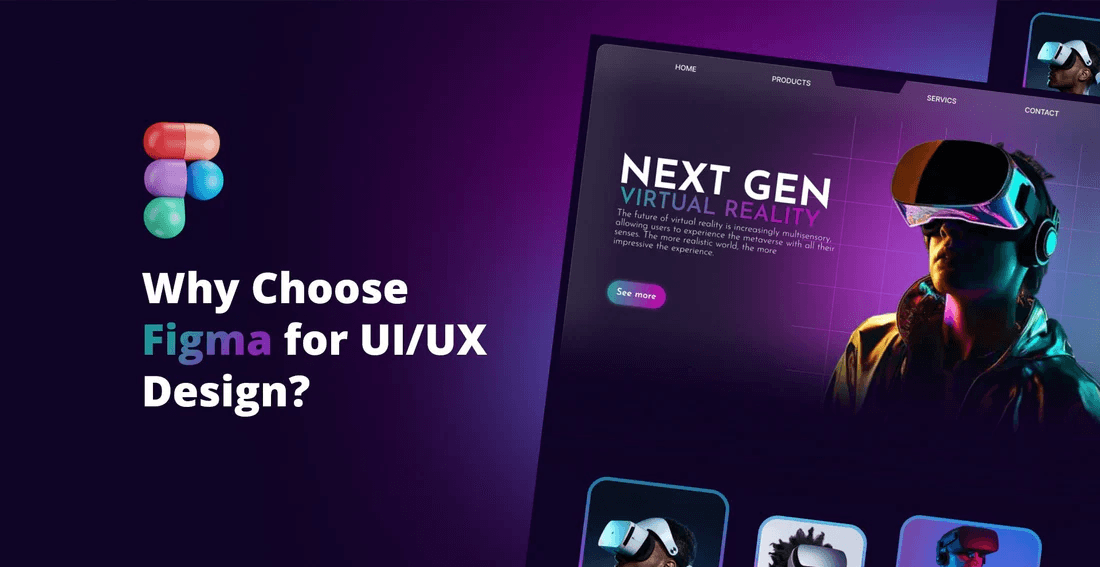
Figma remains the most widely used UI UX design tool in 2026, trusted by designers, product teams, and web design agencies worldwide. It supports the complete design workflow, from early wireframes to high-fidelity user interface design and developer handoff. Because Figma is fully cloud-based, teams can collaborate in real time without file version issues, making it ideal for remote design teams, startups, and large enterprises alike.
For website design, mobile app design, and web application development, Figma helps designers create consistent, scalable layouts while keeping the focus on usability and user experience design. With built-in AI features, designers can now generate layouts faster, improve alignment, and optimize spacing, which significantly reduces production time.
Key Features
Real-time collaboration
Advanced prototyping
Component libraries
AI-assisted design tools
When to Use Figma
Use Figma at almost every stage of the UI UX design process. It’s perfect for creating wireframes, mockups, interactive prototypes, and production-ready designs. Designers also rely on Figma to maintain design systems, manage large web design projects, and collaborate with website developers during handoff.
If you’re working on portfolio websites, ecommerce websites, or full web design and development projects, Figma provides the flexibility, speed, and collaboration needed to deliver a good website design in 2026.
2. FigJam
A Tool for Early-Stage Thinking
FigJam is a powerful collaboration tool designed for early-stage UX design, research, and planning. Before moving into detailed UI design, teams use FigJam to explore ideas, map user journeys, and align stakeholders. It helps designers, product managers, and developers think visually and work together in one shared space.
In 2026, FigJam has become an essential tool for UX strategy, design thinking workshops, and discovery sessions. It supports fast brainstorming and encourages creative problem-solving without the pressure of pixel-perfect layouts. For web design and product design teams, FigJam creates a strong foundation for better user experiences.
Key Features
Mind maps
Sticky notes
User flow templates
Workshop tools
Best Use Cases
Use FigJam during the discovery phase of UI UX projects. It’s perfect for creative workshops, stakeholder meetings, idea mapping, and early UX wireframing. Teams often use it to plan website structures, define user flows, and align goals before starting visual design.
For web design agencies, startups, and product teams, FigJam helps turn rough ideas into clear, actionable design directions that lead to better website design and digital products.
3. Webflow
Design and Build Websites Without the Gap
Webflow is a powerful visual website builder that allows designers to turn high-fidelity UI designs into fully functional websites without relying on heavy coding. It removes the traditional gap between design and development, making it easier for teams like Artonest Design to control layout, interactions, and performance from one platform.
In 2026, Webflow is widely used by web design agencies, startups, and product teams to create fast, scalable, and responsive websites. Designers can build real interactions, smooth animations, and structured layouts while maintaining full creative control. For projects focused on website design and development, Webflow speeds up delivery without sacrificing quality or user experience.
Key Features
CMS for dynamic content
Responsive layout tools
Visual development
Real-time updates
When It Helps the Most
Use Webflow when you need a working website quickly without complex backend development. It’s ideal for marketing websites, landing pages, startup sites, and product demos where speed and flexibility matter.
Webflow is especially useful for designers who want more control over website performance, responsive design, and content updates while delivering a polished, professional site that feels custom-built.
4. Framer
A Fast Prototyping Tool for Modern Web Projects
Framer is one of the most advanced prototyping and website design tools used by UI UX designers in 2026. It allows designers to build highly interactive prototypes that closely match real-world websites. Unlike static mockups, Framer prototypes feel live, making them perfect for testing user experience design, interactions, and layout behavior before development begins.
For modern web projects, Framer helps designers create smooth animations, responsive layouts, and engaging micro-interactions without complex code. Many web design agencies and product teams use Framer to showcase ideas to clients, validate design decisions, and even launch fully functional websites quickly. It’s especially popular for high-impact landing pages and startup websites.
Key Features
Real-time preview
Interactive components
High-quality animations
AI-assisted layout tools
Best For
Framer is ideal for designers working on modern websites, interactive interfaces, and realistic prototypes used in user testing. It’s also a great tool for teams that want to move quickly from concept to live site without a heavy development process.
If your goal is to deliver fast, visually rich, and user-focused web experiences, Framer provides the speed and flexibility needed in 2026.
5. Penpot
What is Penpot?
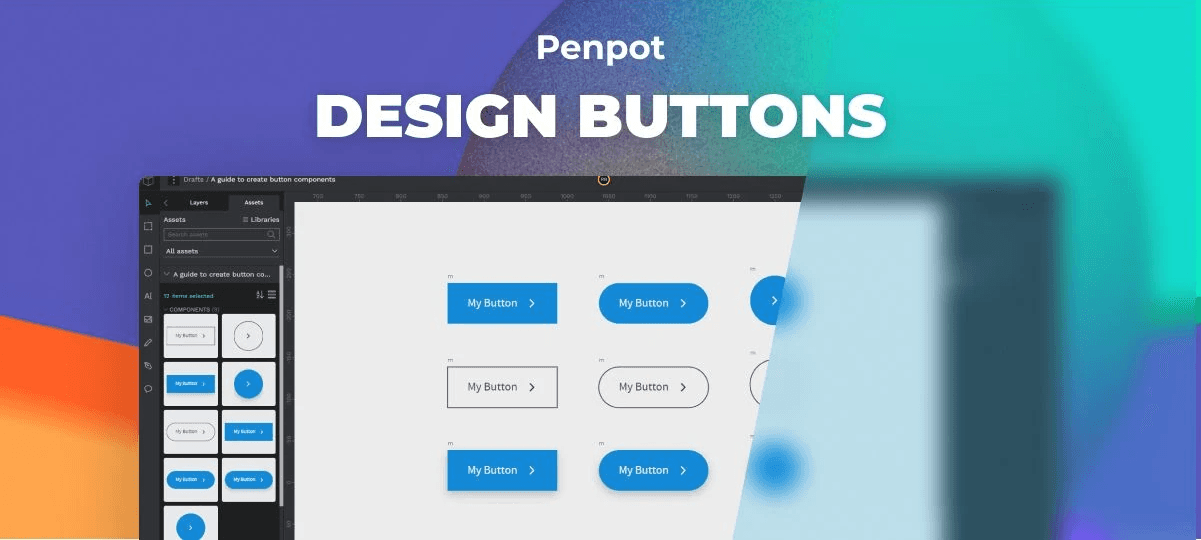
Penpot is a modern open-source UI/UX design and prototyping tool built for designers, developers, and product teams who value flexibility and transparency. It runs entirely in the browser and is completely free, making it a strong alternative to paid UI design tools. Designers use Penpot to create wireframes, user interface layouts, reusable components, interactive prototypes, and full design systems.
In 2026, Penpot gained popularity among open-source communities, startups, and teams that want full control over their design process. Because it supports deep SVG-based design, Penpot fits naturally into modern web design and development workflows, allowing smooth collaboration between designers and developers.
Key Features
Open-source and free
Works across platforms
Real-time collaboration
Supports SVG deeply
Components and design systems
Prototyping
Self-hosting option
Developer-friendly
Why Designers Use Penpot
Many designers choose Penpot as a 100% free alternative to Figma, especially when budget or data ownership is a concern. Its self-hosting option makes it privacy-friendly, which is important for enterprises and teams working on sensitive projects. Penpot is also lightweight and fast, allowing designers to focus on design rather than tool complexity.
Penpot is ideal for open-source teams, early-stage startups, and designers who want a simple learning curve without sacrificing professional design capabilities. With strong vector tools and a developer-friendly approach, Penpot supports efficient UX design, UI design, and long-term design system management.
6. Miro
Organize Ideas and User Flows with Ease
Miro is a powerful visual collaboration and planning tool widely used by UI/UX designers, product managers, and research teams. It helps teams organize ideas, plan user research, and map complex user flows in a clear and visual way. Instead of scattered documents and notes, Miro brings everything into one shared workspace.
In 2026, Miro plays an important role in UX strategy, discovery workshops, and early product design stages. Designers use it to align teams, validate assumptions, and structure ideas before moving into wireframes or detailed UI design. It’s especially useful for remote teams and cross-functional collaboration.
Key Features
Flowchart templates
Research boards
Brainstorming tools
Team collaboration
When to Use It
Use Miro during the planning and research phases of UI UX projects. It’s ideal for organizing discovery sessions, conducting UX workshops, and working closely with clients or internal teams. Designers often rely on Miro to map website structures, user journeys, and feature flows before starting visual design.
For web design agencies, product teams, and startups, Miro helps turn ideas into clear plans, ensuring smoother transitions from research to user interface design and development.
7. Maze
Make Data-Driven Design Decisions
Maze is a powerful user testing and UX research tool that helps designers make informed, data-driven design decisions. Instead of relying only on assumptions or internal feedback, designers can use Maze to test prototypes with real users and gather measurable insights. This makes it easier to validate UI UX design choices before moving into development.
In 2026, Maze is widely used by product teams, web design agencies, and startups to improve usability and reduce redesign costs. Designers can upload prototypes from tools like Figma or Framer, create tests in minutes, and analyze how users interact with designs. This helps improve user experience design, accessibility, and conversion rates early in the process.
Key Features
Usability tests
A/B testing
Prototype heatmaps
User feedback surveys
When It Helps
Maze is ideal during the testing and validation phase of UI UX projects. It helps designers identify user pain points, confusing interactions, and usability issues before development begins. Teams often use Maze to refine landing pages, web applications, and mobile interfaces.
By using Maze early, designers can reduce rework, improve decision-making, and deliver more user-focused designs that perform better once launched.
8. Notion
The All-in-One Workspace for Designers
Notion is an all-in-one workspace and productivity tool that helps UI/UX designers and design teams stay organized throughout a project’s lifecycle. Instead of using multiple tools for notes, tasks, and documentation, Notion brings everything into one centralized platform. Designers use it to document design systems, manage workflows, and keep project information easy to access.
In 2026, Notion plays a key role in design operations and team collaboration. It helps designers track progress, store UX guidelines, plan sprints, and maintain consistency across web design and product design projects. For agencies and remote teams, Notion improves transparency and keeps everyone aligned.
Key Features
Database systems
Design documentation
Task management
Centralized workspace
Best Use Cases
Use Notion for internal documentation, client communication, and long-term project organization. It’s ideal for maintaining design systems, onboarding new team members, and tracking ongoing website design or product development work.
For design studios and product teams, Notion acts as a single source of truth, helping designers stay organized and focused while delivering consistent, high-quality user experiences.
9. Overflow
Turn Your Screens Into Clear User Flows
Overflow is a specialized user flow and design presentation tool that helps UI/UX designers clearly communicate how users move through a digital product. Instead of static screenshots or complex diagrams, Overflow turns wireframes and UI screens into clean, visual flows that are easy to understand for clients, developers, and stakeholders.
In 2026, Overflow is widely used by product designers and web design teams to explain complex journeys, validate user paths, and improve collaboration. It works especially well alongside tools like Figma, allowing designers to focus on storytelling and user experience design rather than manual flow creation.
Key Features
Auto-flow generation
Interactive presentations
Clean flow diagrams
Easy stakeholder sharing
When It Helps
Use Overflow when you need clear, visual communication for design handoffs, client presentations, or UX research documentation. It’s especially helpful for explaining onboarding flows, checkout processes, and complex web application journeys.
For design agencies and product teams, Overflow reduces confusion, speeds up approvals, and ensures everyone understands how the user experience works before development begins.
10. ProtoPie
Bring Interactions to Life
ProtoPie is a powerful interaction design and advanced prototyping tool used by UI/UX designers to create highly realistic and dynamic user experiences. Unlike basic prototyping tools, ProtoPie focuses on detailed motion, logic, and real-world interactions, allowing designers to simulate how a product truly behaves before development begins.
In 2026, ProtoPie is especially valuable for teams working on mobile apps, IoT products, and complex digital interfaces where motion and interaction play a critical role. Designers can build sophisticated prototypes without writing code, making it easier to test usability, animations, and micro-interactions early in the design process.
Key Features
Gesture-based interactions
Sensor-based prototyping
High-fidelity transitions
Realistic device previews
Who Should Use It
ProtoPie is best suited for designers working on mobile applications, interactive digital products, and experiences that require precise motion design. It’s especially useful for UX designers who want to test advanced interactions before handing designs to developers.
For teams focused on delivering smooth, realistic, and engaging user experience design, ProtoPie provides the control and realism needed to validate interactions with confidence.
Final Thoughts
The tools above are shaping how designers work in 2026. They help you design faster, collaborate better, test ideas quickly, and deliver polished experiences. Whether you're designing websites, apps, dashboards, or brand systems, these UI UX tools can improve the quality of your work.
If you're working with a professional design studio like Artonest, you’ll find many of these tools built into the workflow. They support smoother communication and more reliable results for clients.
Frequently Asked
Questions
1. What are the most important UI UX tools to learn in 2026?
2. Which tool is best for UI design beginners?
3. Do UI UX designers still need coding tools in 2026?
4. What tools help with user testing and research?
5. How do I choose the right UI UX tools for my projects?
Table of contents
Recent


