

ALL BLOG POSTS
/
UI Design
The Future of Intelligent Interface Design

Stefan Ivic
Author
As artificial intelligence powers more decisions, the real challenge is not smarter algorithms — it is smarter interfaces that keep humans in control. Here is what every AI startup founder needs to know.
Why AI UI Is the Most Critical Design Challenge of Our Era
Every AI startup founder faces the same invisible wall: you build a brilliant AI system, but users do not trust it. They hesitate before accepting suggestions. They override decisions without reading them. Or worse, they blindly trust outputs they should be questioning. The root cause of all three problems is the same — poor AI UI design.
AI UI, short for artificial intelligence user interface, is not a buzzword. It is the bridge between what your AI can do and what your users will actually do with it. In 2026, over 78% of enterprise AI projects that fail do not fail because of model performance. They fail because humans cannot comfortably operate alongside the system. The interface breaks the relationship before the algorithm even gets a chance.
For AI startups and business owners targeting a global audience — from San Francisco to Singapore, from Berlin to Bengaluru — getting AI UI design right is not optional. It is the product. At Artonest Design Studio, this belief drives every decision, shaping intelligent interfaces that combine automation with human control to build trust, clarity, and real user adoption.
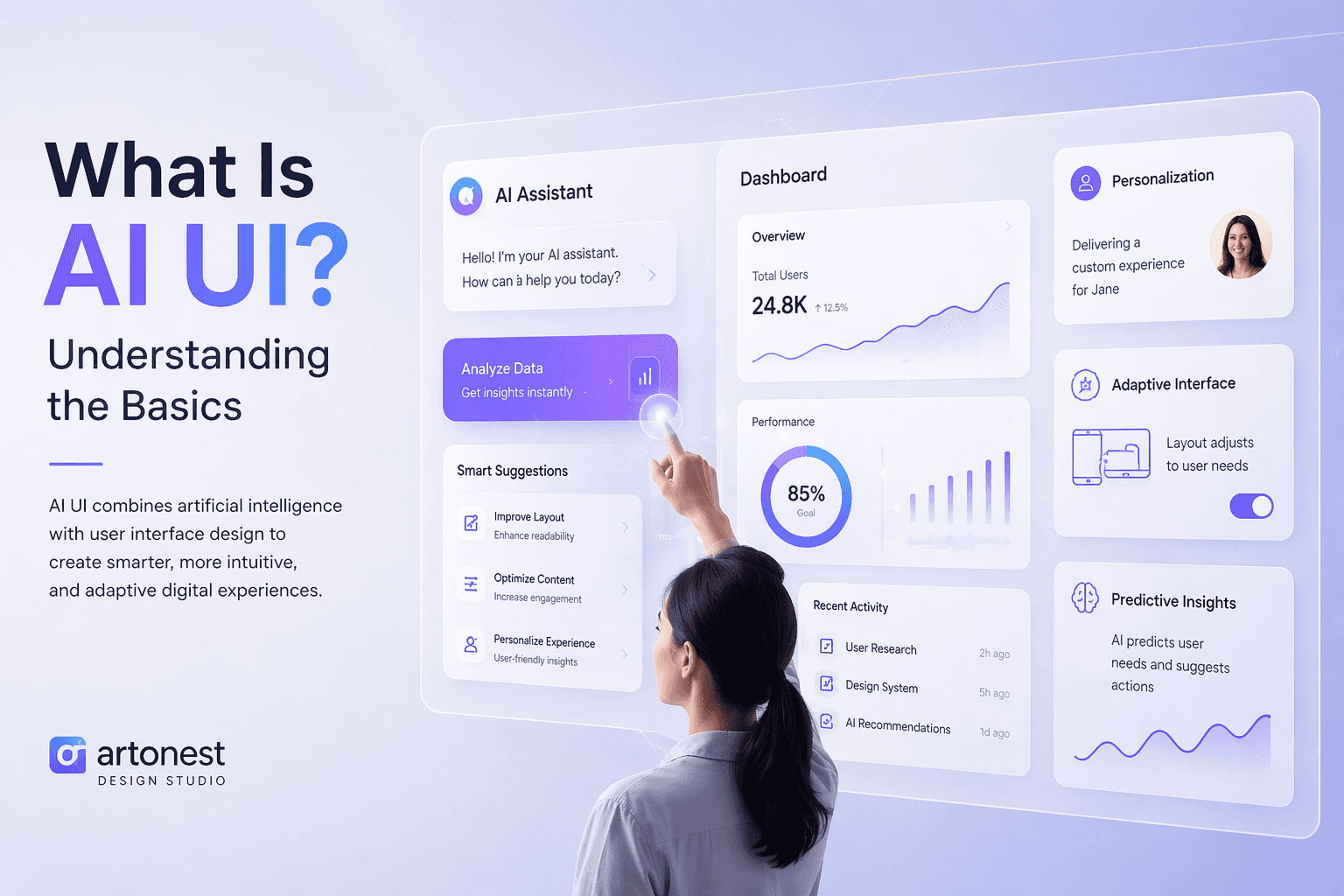
What Is AI UI? Understanding the Basics
AI UI refers to any user interface that is designed specifically to help humans interact with AI-powered systems. This goes far beyond buttons and dashboards. A well-designed AI UI communicates confidence levels, explains recommendations, surfaces uncertainty, and always gives the human a clear path to intervene.
Think of it this way. A calculator gives you one answer. An AI gives you a best answer — and a good AI UI shows you why that answer is best, how confident the system is, and what happens if you choose differently. That transparency is the heart of intelligent interface design.
The three pillars of great AI UI
Explainability — users see reasoning, not just results
Control surfaces — easy overrides, confirmations, and corrections at every step
Feedback loops — the system learns from how humans interact with it
Automation vs. Human Control: The Core Tension in AI UI Design
Every AI product sits somewhere on a spectrum. On one end, full automation — the system acts, the human watches. On the other end, full human control — the AI suggests, the human decides everything. Neither extreme works well in real business environments.
Full automation makes users anxious and creates liability problems. Full human oversight defeats the purpose of having AI in the first place. The winning design strategy is a carefully calibrated middle ground — what researchers at MIT call "meaningful human control."
"The goal is not to replace human judgment. The goal is to augment it — and great UI design is how you do that without making users feel watched, overridden, or redundant."
Where automation should take the wheel
Repetitive, high-volume, low-stakes tasks are perfect candidates for full automation. Data entry validation, report generation, routine customer query routing, anomaly flagging — these processes can run autonomously with humans only reviewing exceptions. Your AI UI should make these handoffs invisible and effortless.
Where human control must stay central
High-stakes decisions — approvals, pricing changes, hiring recommendations, medical flagging, legal analysis — must always have a visible, obvious human checkpoint. The UI design here must surface these moments clearly. A subtle notification is not enough. The interface needs to pause, highlight, and require deliberate human action before the system proceeds.
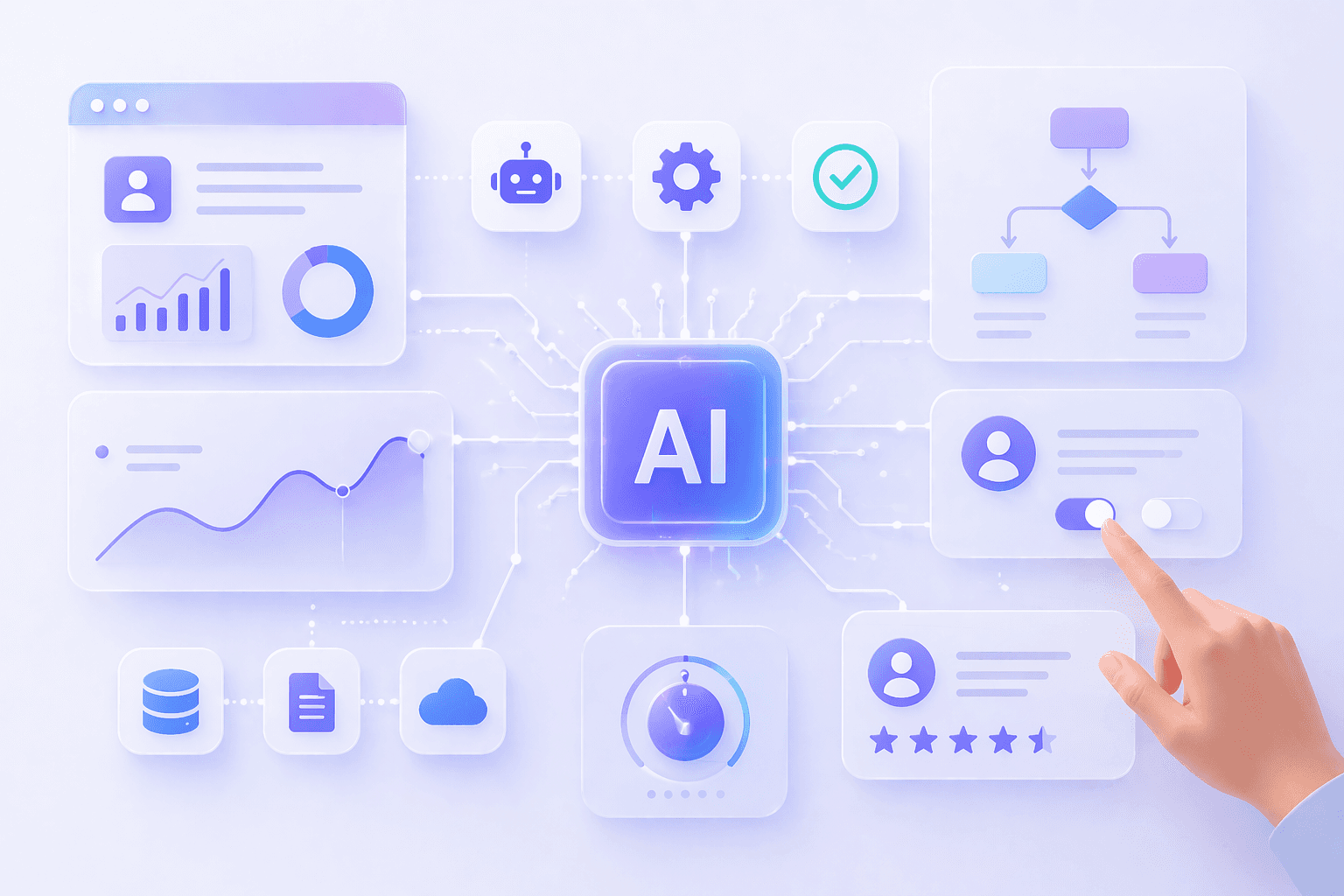
Key Principles of Effective AI UI Design for Automation
1. Make confidence visible, always
One of the most powerful tools in AI UI design is the confidence indicator. When your AI makes a recommendation, show a simple visual cue — a percentage, a color-coded bar, or a plain language label like "high confidence" or "needs review." This single element dramatically improves user trust and reduces blind acceptance of incorrect outputs.
2. Design for graceful override
Every automated action in your system should have a clear undo, edit, or override path that takes no more than two clicks. If overriding a decision feels difficult, users will either not bother or they will lose trust in the whole system. Make correction feel as natural as acceptance.
3. Use progressive disclosure
Not every user needs to see every detail of how the AI reached a conclusion. Design your UI in layers. Show a clean summary by default. Let curious users drill down into reasoning, data sources, and alternative options. This keeps the interface approachable for beginners and powerful for experts — critical for globally diverse user bases.
4. Build persistent audit trails
For business owners and AI startup founders, accountability is non-negotiable. Your AI UI should automatically log every automated action, every human override, and every AI suggestion that was rejected. This is not just good design — it is essential for compliance across international markets.
5. Localize your control language
If you are targeting a global audience, the words and metaphors you use in your AI UI matter enormously. "Approve," "override," "skip," and "flag" carry different cultural connotations in different markets. Invest in thoughtful localization of your control surfaces, not just translation of your content.
AI UI Design Patterns Every Startup Should Know
The Clipboard Pattern
AI generates content, while humans review and refine it before publishing or sending—an approach widely used in content creation, email drafting, and report writing tools. At Artonest this human-in-the-loop model is central to designing AI interfaces that ensure accuracy, trust, and user control.
The Gatekeeper Pattern
Automation runs until it reaches a flagged threshold. Then it stops and waits for human approval. Perfect for finance, compliance, and healthcare workflows.
The Co-Pilot Pattern
AI shows real-time suggestions alongside user actions. Human makes every final decision but with AI-powered context always visible. Great for sales, support, and legal tools.
The Autopilot Pattern
System acts autonomously within defined rules. Humans receive periodic summaries and exception alerts. Fits infrastructure management and marketing automation.
Choosing the right pattern for your product depends on your industry, your users' technical comfort level, and the risk profile of the decisions your AI is making. Most mature AI products use a mix of these patterns across different parts of their interface.
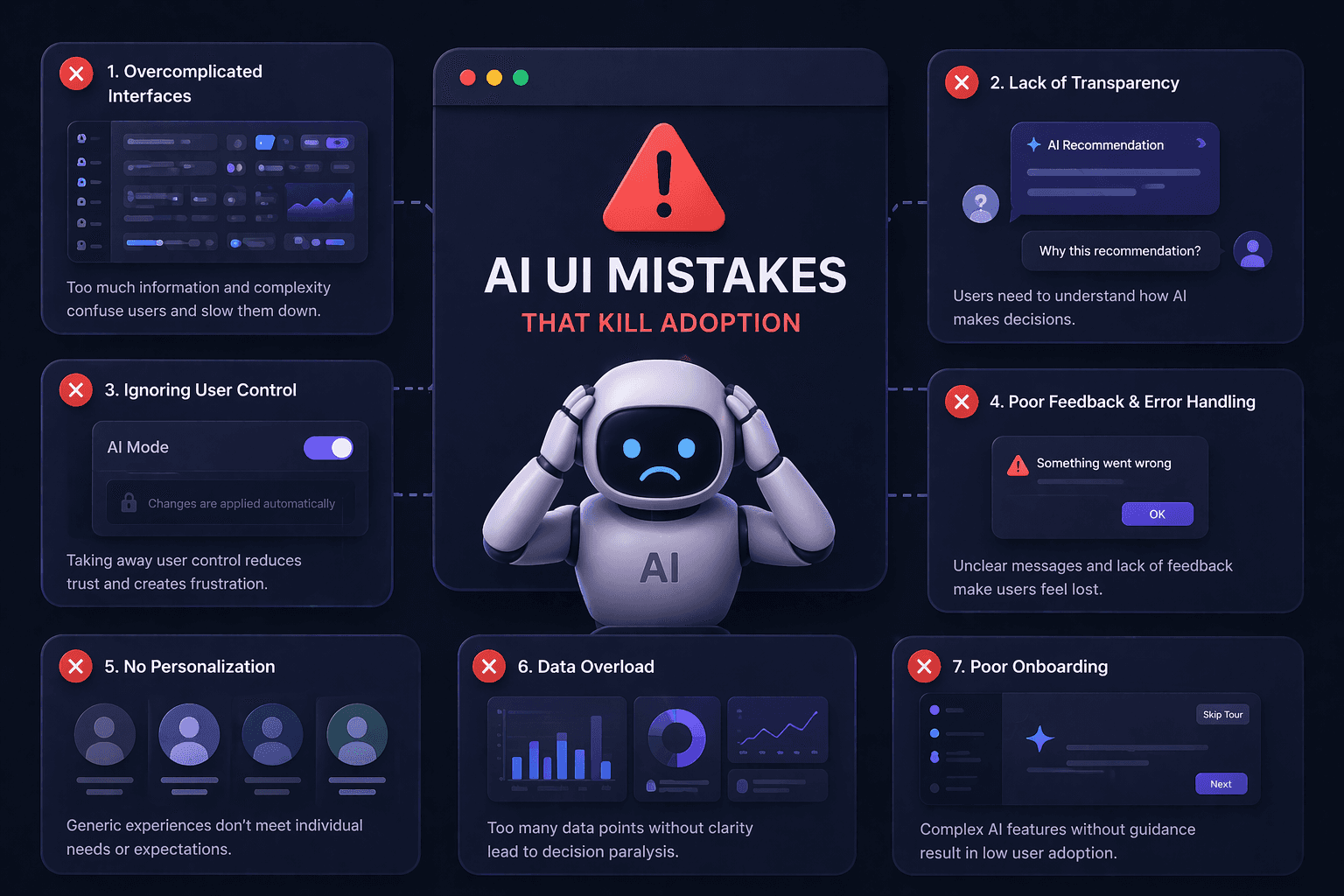
Common AI UI Mistakes That Kill Adoption
Hiding AI involvement — users feel deceived when they later learn a decision was automated
Showing too much too soon — overwhelming users with model outputs, probabilities, and raw data before they understand the basics
Making overrides feel like failures — UI language that guilts users for disagreeing with the AI destroys trust rapidly
No feedback mechanism — if users cannot tell the AI when it is wrong, the system cannot improve
One-size-fits-all interfaces — global products must adapt control surfaces for different skill levels and cultural expectations
The Business Case: Why AI Startups Must Prioritize UI Design Now
The AI market is maturing rapidly. In 2024 and 2025, the differentiator was model capability. By 2026, the differentiator is user experience. Buyers — whether enterprise procurement teams in Tokyo or small business owners in Lagos — are asking the same question: can my team actually use this without a PhD?
Startups that invest in AI UI design now are building a moat that model improvements alone cannot cross. When a competitor releases a slightly better model, good UI design keeps your users loyal because switching has a cost. They understand your interface. They trust your controls. They know how to override you and they know you will learn from it.
Conversely, startups that treat the interface as an afterthought — bolting on a dashboard after the model is built — consistently underperform in retention, adoption, and enterprise sales cycles. Global enterprise buyers in particular conduct rigorous usability evaluations before signing contracts. If your AI UI does not give them confidence and control, no model benchmark will save the deal.
Building Your AI UI Strategy: A Practical Starting Point
Start by mapping every decision your AI makes in your product. For each decision, ask three questions: What is the consequence if this decision is wrong? How easy is it for the user to catch a mistake? How easy is it to fix it? Your answers will directly tell you how much human control to design into that specific interaction.
Then define your control vocabulary — the exact words, icons, and patterns you will use consistently across the product to signal human control moments. Consistency here is not just aesthetic. It is cognitive. Users who recognize your control patterns across the interface will act faster and with more confidence.
Finally, build feedback collection into your UI from day one. Every time a user overrides your AI, that is the most valuable data your company has. Make it easy. Make it feel appreciated. And let users see — even in a simple way — that their corrections made the system better.
Frequently Asked
Questions
1. What is AI UI design in modern UI UX design?
2. How does AI improve UI UX design and user experience design?
3. What is the future of UI UX design with AI?
4. How is AI used in user interface design today?
5. What are the benefits of AI-powered user interfaces?
Table of contents
Recent


